

The best “Fake Receipt Font” is one that mimics common receipt typography, often a clean, condensed sans-serif font. Legibility and a slightly utilitarian feel are key.
Ever stared at your printer and wondered, “What font makes a receipt look like a receipt?” You’re not alone! Creating realistic-looking receipts, whether for a prop, a personal project, or even a unique design element, often hinges on choosing the right font. It might seem like a small detail, but the typography of a receipt can instantly convey authenticity and polish. This guide will demystify the world of receipt fonts, making your design process smooth and successful. Let’s dive in and find the perfect typeface for your needs!
Understanding the “Fake Receipt Font” Concept
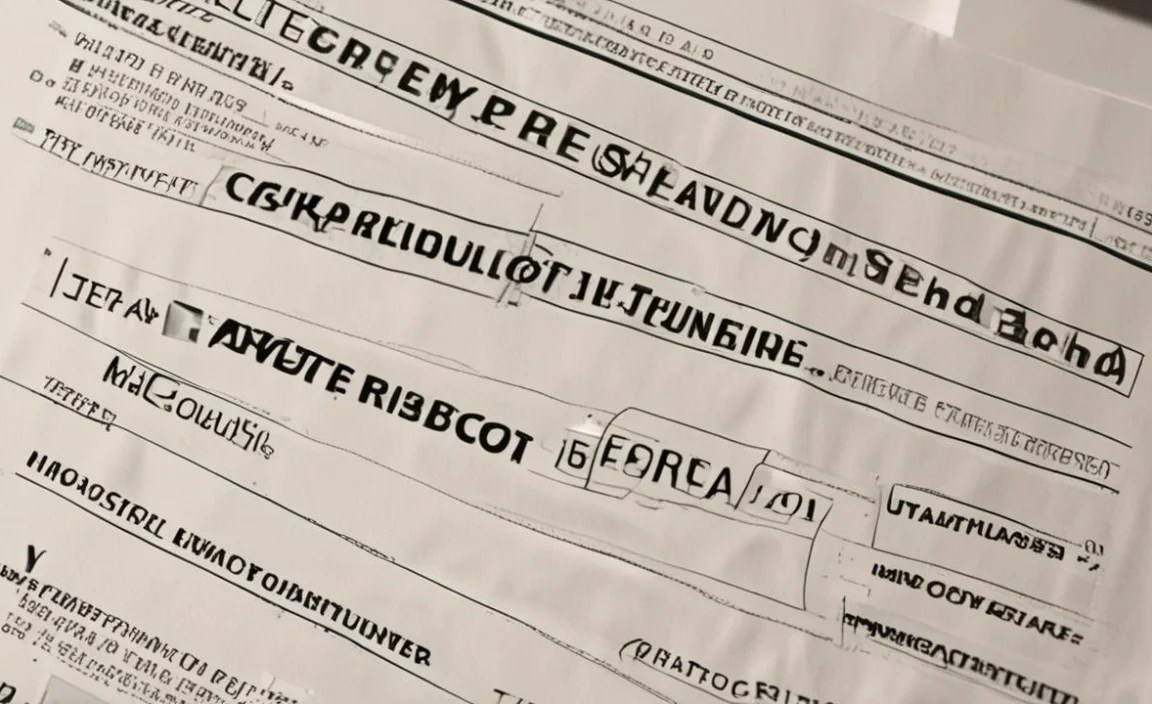
When we talk about a “fake receipt font,” we’re essentially talking about a font that closely resembles the kind you’d find on a typical point-of-sale (POS) receipt. These fonts are usually chosen for practicality and cost-effectiveness by businesses, which gives them a distinct utilitarian look. They need to be highly readable, even on thermal paper which can sometimes be a bit faded or low-contrast. Most importantly, they need to fit a lot of information into a narrow space.
Why Does the Font Matter So Much?
The font you choose for a mock receipt can significantly impact its perceived authenticity. A font that’s too decorative, too modern, or too bold can immediately signal that it’s not a genuine receipt. On the other hand, a font that’s too generic might not have the distinctive character of a real receipt. It’s about striking a balance between readability and that specific, often humble, aesthetic.
Think about it: when you look at a receipt, you often see a slim, sometimes a bit squished, sans-serif font. It’s not something you’d typically use for a book title or a wedding invitation. This is because its primary purpose is to convey information clearly and compactly. For designers, understanding this practical origin is the first step to finding the right “fake receipt font.”
Key Characteristics of Receipt Fonts

Before we start looking at specific font recommendations, let’s break down what makes a font suitable for mimicking a receipt:
- Condensed or Narrow: Receipts have limited space. Fonts that are condensed allow more characters to fit on a line, which is crucial for item lists, prices, and even store names.
- Sans-Serif: Most POS systems use sans-serif fonts. This means they lack the little decorative strokes (serifs) at the ends of letters, giving them a clean, modern, and highly readable appearance.
- Monospaced or Near-Monospaced: While not strictly required, some receipt fonts have a monospaced or near-monospaced quality. This means that each character takes up the same amount of horizontal space, which can create very neat, aligned columns, especially for numbers.
- Legible at Small Sizes: Receipts are often printed small. The chosen font must remain clear and easy to read even when quite tiny.
- Neutral and Utilitarian: These fonts are rarely flashy. They serve a functional purpose, so their design is typically straightforward and understated.
Popular Choices for “Fake Receipt Fonts”

Now for the exciting part – discovering fonts that fit the bill! Many common receipt fonts are actually older, well-established typefaces that are either readily available or have very similar free alternatives. Here are some excellent categories and examples:
1. Condensed Sans-Serif Fonts
These are the workhorses of the receipt world. Their narrowness is their superpower, allowing them to pack information efficiently.
OCR-A / OCR-B
You might not have heard of them by name, but you’ve definitely seen fonts like OCR-A and OCR-B. Developed for optical character recognition (OCR), these fonts are designed for maximum machine readability. They have a very distinct, slightly mechanical look that screams “official document.” OCR-A is even more stylized and blocky, while OCR-B is a bit softer. They are perfect for that authentic, vintage receipt feel.
- Pros: Highly recognizable as official/data, excellent legibility for machine reading.
- Cons: Can look a bit dated or overly technical for some modern applications.
Univers (Condensed Variants)
Univers is a classic humanist sans-serif designed by Adrian Frutiger. Its various condensed and extra-condensed weights are incredibly versatile and widely used in various applications, including signage and corporate branding. You’ll find Univers’s influence in many POS systems because it’s clear, balanced, and efficient.
- Pros: Extremely legible, professional, and has a wide range of weights.
- Cons: May require a commercial license depending on the specific font family.
Helvetica (Condensed Variants)
Another titan of the typeface world, Helvetica is known for its neutrality and clarity. Its condensed versions, like Helvetica Neue Condensed, are fantastic for fitting text into tight spaces, making them a natural fit for receipt design. It’s clean, straightforward, and universally understood.
- Pros: Iconic, highly readable, widely available (though commercial licenses often apply).
- Cons: Can sometimes feel a bit overused; commercial licensing is common.
Arial (Narrow)
A very common default on many operating systems, Arial comes in narrow variants that offer a condensed feel. While perhaps not as sophisticated as Univers or Helvetica, Arial Narrow is a free and accessible option that can certainly do the job for a basic, no-frills receipt look.
- Pros: Free and widely available on most computers.
- Cons: Lacks some of the refined details of premium fonts.
Roboto Condensed
Designed by Google, Roboto is a modern sans-serif that works exceptionally well on screens and in print. Its condensed versions are slim and efficient, inheriting the legibility and clarity that makes it a popular choice for many digital interfaces, and by extension, a good candidate for receipt-like designs.
- Pros: Free through Google Fonts, modern, clean, and highly legible.
- Cons: Might be slightly too modern for a very classic receipt look.
Open Sans Condensed
Similar to Roboto, Open Sans is another excellent free font from Google Fonts. Its condensed style offers great readability and a friendly, approachable feel. It’s a solid choice if you want something clean and universally available.
- Pros: Free via Google Fonts, great for web and print, clear.
- Cons: Similar to Roboto, might feel a touch more contemporary than a traditional receipt font.
2. Certain Monospaced Fonts
Monospaced fonts, where every character occupies the same width, can give receipts a very structured and typewriter-like feel, which can be nostalgic or feel very grounded in old-school data entry.
Courier New
The quintessential typewriter font! Courier New is a classic monospaced font that instantly evokes an era of manual typewriters and early computer terminals. While it’s not what most modern POS systems use, it can lend a vintage, retro, or deliberately stylized “document” feel to a fake receipt. Its equal spacing for all characters can create very precise columns.
- Pros: Free and widely available, strong vintage/typewriter association.
- Cons: Very wide, less efficient for saving space than condensed sans-serifs; can look dated.
Consolas
Consolas is a monospaced font designed for clarity in programming contexts. It’s clean, highly readable, and has a more modern feel than Courier New. If you want a monospaced look that still feels crisp and contemporary, Consolas is a great option. Its design prioritizes distinguishing similar characters, which aids legibility.
- Pros: Excellent clarity, modern monospaced feel, often included with operating systems.
- Cons: Primarily designed for code, so might not have that specific “receipt” charm for everyone.
3. Business-Oriented System Fonts
Many POS systems historically used standard system fonts that were readily available and optimized for display. These often lean towards very simple, functional sans-serifs.
Tahoma / Verdana
These fonts were designed for screen readability, meaning they are clear and open even at small sizes. While not typically “condensed,” their clarity makes them a plausible choice for simpler receipt designs, especially if you don’t need to cram an excessive amount of text onto each line. They possess a very utilitarian, functional aesthetic.
- Pros: Free, highly legible on screens and print, very neutral.
- Cons: Not condensed, so less space-efficient.
Choosing the Right “Fake Receipt Font” for Your Project

The “best” font for your fake receipt depends entirely on the vibe you’re going for:
- For Maximum Authenticity (Modern POS): Look for condensed sans-serifs like Univers Condensed, Helvetica Condensed, or even free alternatives like Roboto Condensed or Open Sans Condensed.
- For a Vintage or Ledger Feel: Courier New can evoke a classic, old-school feel, though it’s quite wide. OCR-A offers a distinct, mechanical document look.
- For a Clean, Generic Look: Arial Narrow is a readily accessible choice.
When in doubt, consider downloading a few options and testing them out. Seeing how they render with your specific text and layout is the most effective way to make a decision.
Where to Find and Use Receipt Fonts

Many excellent fonts suitable for receipt creation are available through various sources. Understanding these will help you access and implement them:
Free Font Resources
For beginners and those on a budget, free font repositories are a goldmine. You can often find high-quality, versatile fonts that mimic the look of commercial receipt fonts.
- Google Fonts: A vast library of open-source fonts. Search for terms like “condensed,” “monospace,” or browse categories. Roboto Condensed and Open Sans Condensed are excellent starting points here.
- Font Squirrel: Offers a curated collection of free commercial-use fonts. They even have a font identifier tool that can help you find similar free alternatives for fonts you see elsewhere.
- DaFont / UrbanFont: While these sites have a huge selection, be sure to check the licensing. Many fonts are free for personal use but require a license for commercial projects.
Commercial Font Marketplaces
If your project requires more unique options or specific weights and styles, commercial font foundries are the way to go.
- MyFonts.com
- FontShop.com
- Adobe Fonts (included with Creative Cloud subscriptions)
These platforms offer professional, high-quality typefaces with clear licensing terms, ensuring you comply with usage rights.
Key Considerations for Usage:
- Licensing: Always check the font license before using it, especially for commercial projects. Free fonts can have restrictions.
- Web Font vs. Desktop Font: If you’re designing a website, ensure the font is available as a web font or you have the appropriate license to use it online. Google Fonts and Adobe Fonts are great for this.
- Printing: For print projects, ensure you have the desktop version of the font. PDF exports should embed the font to maintain appearance.
Designing Your Fake Receipt: Typography Tips
Beyond just choosing a font, how you use it makes a big difference. Here are some typography tips to enhance your fake receipt design:
1. Spacing is Key (Kerning & Tracking)
Kerning: This is the adjustment of space between specific pairs of letters (e.g., AV, To). For most receipt fonts, default kerning is usually fine, but if you notice awkward gaps in larger titles, you might consider slight adjustments. Don’t overdo it!
Tracking: This refers to the uniform spacing between all characters in a block of text. For condensed fonts, sometimes slightly increasing tracking (letter-spacing) can improve readability, especially if you’re using very narrow weights. Conversely, if you’re using a font that is too wide, you might need to slightly decrease tracking to fit more text.
2. Hierarchy and Importance
Not all text on a receipt is created equal. Use typography to guide the reader’s eye:
- Store Name/Logo: Often slightly larger or bolder.
- Item Descriptions: Standard readable size.
- Prices/Totals: Can be slightly bolder or a different weight to stand out.
- Dates/Times/Transaction IDs: Smaller, perhaps regular weight.
- Disclaimers/Fine Print: Smallest size, treated with care for readability.
3. Alignment Practices
Receipts often use a combination of left alignment and right alignment for text and numbers, respectively.
- Left Alignment: Good for descriptions and labels. Keeps a clean left edge.
- Right Alignment: Essential for numerical columns (prices, quantities). This ensures decimal points align and numbers are easy to compare.
- Center Alignment: Sometimes used for store names or header information.
Use a monospaced or near-monospaced font to ensure numbers align perfectly in columns. A table structure in your design software can also help immensely here, even if it’s not visible in the final output.
4. Font Weight and Style
Most receipts stick to regular or bold weights. Avoid using italics extensively, as they can be hard to read on lower-resolution printers or thermal paper. Stick to variations in weight (e.g., Regular, Bold) and size to create visual interest and hierarchy.
5. Consider the Paper/Output
If you’re printing on thermal paper, know that it can sometimes be grainy or have a lower contrast. Fonts that are very thin, highly detailed, or have very fine serifs might not render well and could become illegible. Opt for robust, clear sans-serifs.
Creating Realistic Receipt Details: Beyond the Font
While the font is crucial, a few other elements contribute to a convincing receipt:
- Layout: Mimic the typical structure: store info at the top, a list of items with quantities and prices, subtotal, tax, total, payment method, date/time, and possibly a footer with return policy or thank you message.
- Line Styles: Use simple lines (single, double, or dashed) to separate sections or items.
- Date & Time Format: Use standard formats like MM/DD/YYYY HH:MM AM/PM or DD-MM-YYYY HH:MM.
- Numbers: Ensure prices have two decimal places (e.g., $10.99, $0.50).
- Payment Details: Include generic placeholders like “VISA 1234.”
Resources like the U.S. Government Printing Office style manual, while focused on government documents, offer timeless guidance on typography and layout that can be indirectly applied to creating professional-looking documents, including how to present numerical data clearly.
When Not to Use a Receipt Font
It’s important to recognize that while this guide is about creating authentic-looking receipts, these fonts have specific uses. You likely don’t want to use a classic “receipt font” for:
- Your primary website text.
- A headline for a magazine article.
- Formal invitations or branding for luxury goods.
- Anything where you want a highly decorative, artistic, or emotionally evocative font.
These fonts are functional. Their power lies in their ability to clearly convey information in a structured, often compact, manner. Using them outside of contexts where that functionality is desired can look out of place or unprofessional.
FAQ: Your “Fake Receipt Font” Questions Answered
What is the most common font used on receipts?
While there isn’t one single font, condensed sans-serifs are overwhelmingly common. Fonts like Univers Condensed, Helvetica Condensed, and various system fonts with “Narrow” or “Condensed” in their name are frequently used by POS systems due to their efficiency and readability. Some older systems might have used OCR fonts.
Absolutely! Many excellent free font options are available through sources like Google Fonts (e.g., Roboto Condensed, Open Sans Condensed) and Font Squirrel. Just be sure to check the licensing to ensure it permits your intended use, especially if it’s for commercial purposes.
Receipts, especially those printed on narrow thermal paper, have very limited horizontal space. Condensed fonts allow more characters to fit on a single line without making.


